
Ultimate Guide to Desk Posture: Ergonomics Tips for Comfort
Workstation Setup, Desk Posture and Ergonomics
One of the most common reasons clients present to Health and Balance Osteopathy is for relief from the “pains and strains” that come from sitting at a desk all day. Headaches, neck pain, back stiffness, and wrist or forearm pain are all frequent complaints.
Our bodies aren’t designed to stay in one position for long periods. That’s the reality of modern work, but there’s a lot you can do to reduce strain and support your body throughout the day.
The most important principle is simple:
Sit less, move more.
Even the perfect setup won’t replace regular movement.
Posture and Set up
While no setup replaces regular movement, an ergonomic workstation can help minimise postural strain and reduce unnecessary stress on the body.
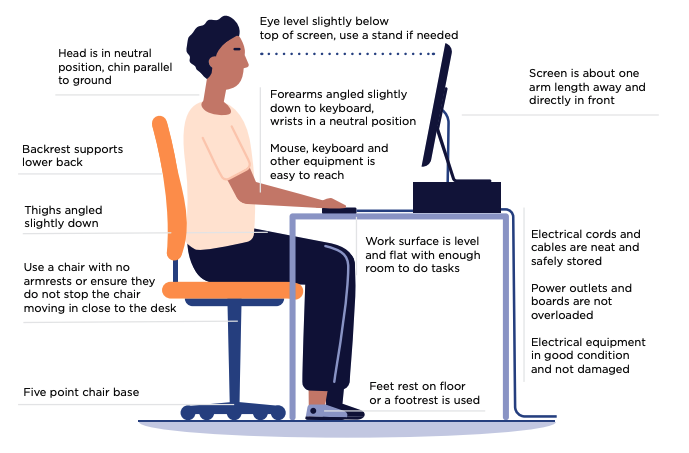
Your chair is the foundation of your setup.
- Adjust seat height so your feet are flat on the floor
- Hips should sit slightly higher than your knees
- If knees are higher than hips, raise your chair or add a small cushion
- If your desk is high, consider a footrest (footwear matters here too)
- Sit with a natural “S-curve” in your spine with back support engaged
- Ensure the chair has a stable 5-point base
Armrests
Should be adjustable or short enough to fit under the desk
You should be able to sit close to the desk without being blocked by the armrest
Your setup here has a big impact on neck, shoulder, and wrist load.
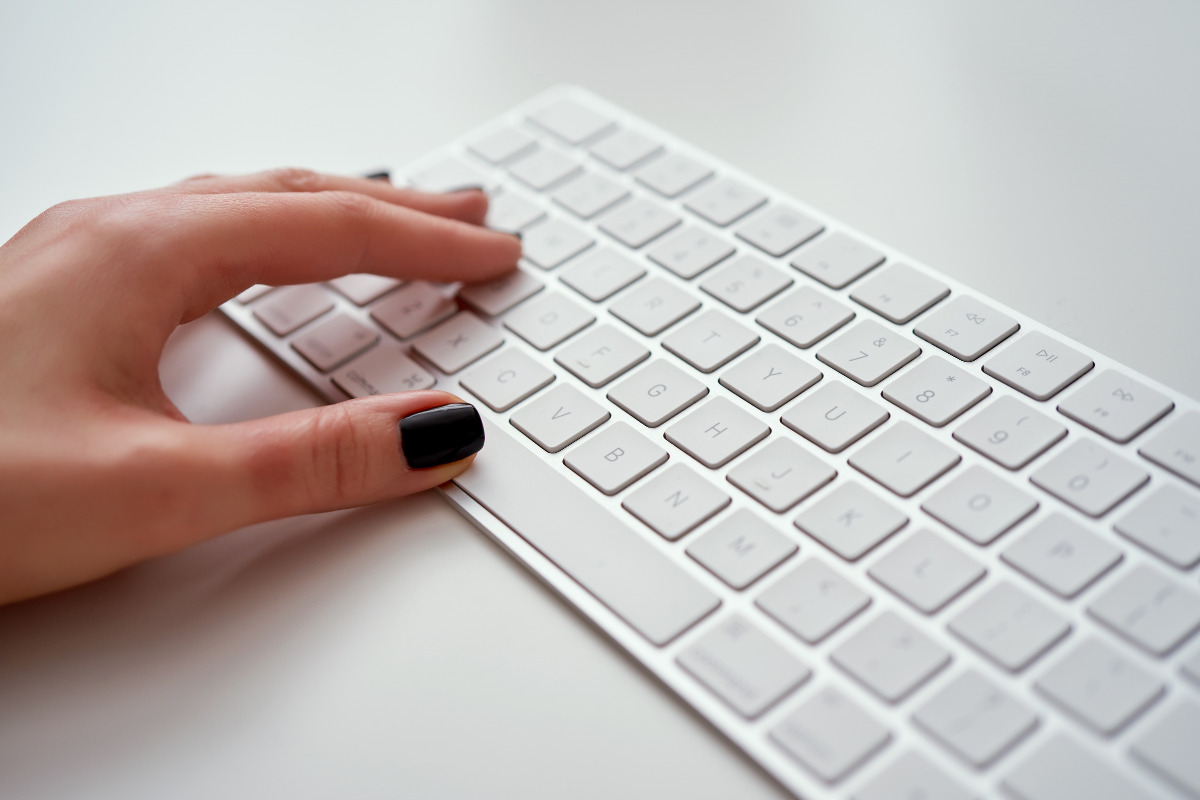
- Keyboard and mouse should sit directly in front of you
- Keep them close to your body to avoid reaching
- Wrists neutral (not bent backwards or extended)
- Forearms roughly horizontal with wrists level with elbow or slighly lower than elbow
Key positioning cue:
Wireless devices allow easier positioning and adjustment
When your hands are resting on the keyboard:
– Shoulders relaxed
– Elbows sitting under (or slightly in front of) shoulders
– Wrists level with or slightly lower than elbow
Your screen position drives your head and neck posture.
Sit directly facing your screen (avoid twisting)
Top third of the screen at eye level
Screen distance: approximately 50–70 cm (arm’s length)
Adjust text size or zoom to avoid leaning forward
Follow the 20-20-20 rule: Every 20 minutes, look 20 metres away for 20 seconds
This is where a lot of setups fall apart.
If you use two screens equally:
- Position both monitors symmetrically in front of you
- The join between screens should be centred with your nose
- Angle screens slightly inward to create a gentle curve
If you use one primary screen:
- Place your main screen directly in front
- Secondary screen sits to the side at a slight angle
- Avoid constantly rotating your neck to the same side all day
Other key points:
Keep them at similar viewing distances
Keep both screens at the same height
Avoid one screen being significantly higher or lower
Use a headset or speaker mode where possible
Avoid cradling the phone between your ear and shoulder
You’ll likely spend more time looking at them than your keyboard
Ideally placed directly below your monitor
Minimises repeated head turning
If you’re a touch typist, raise documents slightly higher
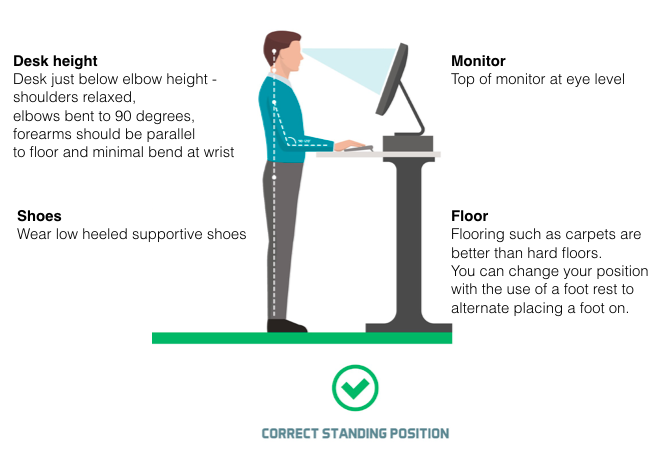
- Determine the standing desk height by relaxing your shoulders and bending your elbows to 90 degrees
- Adjust the desk height to just below the forearm
- Your arm is close to your side when using the mouse
- The monitor is positioned so that you do not tilt/arch your head back and is positioned approximately arm’s length away from you
- the top of the screen is at your eye height or lower
- In addition, use a document holder if you refer to documents when typing and check that it suits the workstation selected (keep all frequently used items within arm’s reach)
- Wear supportive footwear or stand on anti-fatigue mats
- Stand with your feet shoulder width apart and with your weight evenly balanced between each foot
- Alternate between sitting and standing every 30-60 mins
Movement and Breaks
No setup can offset being still all day.
Change posture often rather than chasing a “perfect” posture
Aim to stand, stretch, or walk every 30–60 minutes
Small, regular breaks are more effective than long, infrequent ones
Follow the 20-20-20 rule: Every 20 minutes, look 20 metres away for 20 seconds
References
Corporate Work Health Australia
Safe Work Australia


